
Introduction
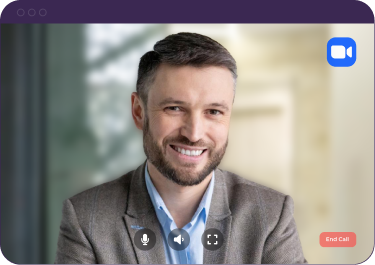
Digital avatars are rapidly becoming a standard feature in enterprise video conferencing. From training simulations to customer-facing interactions, photorealistic avatars enable new categories of meeting experiences that weren't possible before.
Sonesse's Digital Avatar API makes it straightforward to integrate avatars into any video meeting platform. In this guide, we'll cover the key concepts and walk through a basic integration.
Use Cases for Digital Avatars
Before diving into the technical details, let's look at how companies are using digital avatars in meetings today:
- Training and onboarding — create consistent, repeatable training sessions with AI trainers
- Customer support — provide 24/7 video-based customer interactions
- Sales demos — deliver personalised product demonstrations at scale
- Accessibility — provide sign language interpretation through avatar-based interpreters
Getting Started with the Avatar API
The Avatar API extends Sonesse's standard bot API. You create an avatar-enabled bot, configure the avatar's appearance and behaviour, and deploy it to a meeting just like any other Sonesse bot.
import sonesse

client = sonesse.Client(api_key="your_api_key")

# Create a digital avatar bot
bot = client.bots.create(
    meeting_url="https://zoom.us/j/123456789",
    bot_name="Training Assistant",
    avatar={
        "model": "professional-female-01",
        "voice": "en-US-aria",
        "behaviour": "conversational",
        "script": None  # Set to None for real-time conversation
    }
)
Real-Time Interaction
Digital avatars can respond to meeting participants in real-time. Sonesse handles the speech-to-text, text-to-speech, and avatar animation pipeline automatically. You just need to provide the conversational logic:
# Handle avatar conversations via webhook
@app.post("/webhooks/avatar")
async def handle_avatar_event(request: Request):
    event = await request.json()

    if event["type"] == "avatar.speech_detected":
        # Someone spoke to the avatar
        user_speech = event["data"]["text"]

        # Generate response (using your LLM of choice)
        response = await generate_response(user_speech)

        # Send response back to the avatar
        client.bots.avatar_speak(
            bot_id=event["data"]["bot_id"],
            text=response
        )
Latency Considerations
For natural-feeling conversations, end-to-end latency needs to be under 500ms. Sonesse's avatar pipeline is optimised for low latency, but your response generation logic needs to be fast too. We recommend streaming LLM responses and using caching where possible.
What's Next
Digital avatars are just getting started. We're working on custom avatar creation, emotion detection, and multi-avatar scenes. Book a demo to see what's possible today.