
Introduction
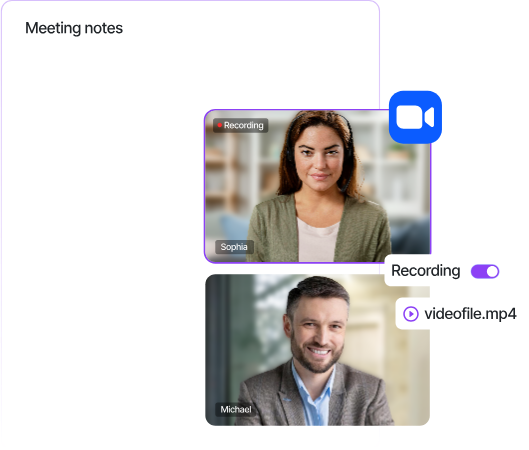
Meeting note-taking is one of the most requested features in modern productivity tools. With Sonesse's Universal API, you can build a fully white-labelled AI note taker that integrates seamlessly into Zoom, Microsoft Teams, and Google Meet — all through a single API.
In this tutorial, we'll walk through the complete process of building an AI-powered note taker that joins meetings, captures transcripts, and uses large language models to generate structured summaries with action items.
The Stack
Here's what we'll be using:
- Sonesse API — to send bots to meetings and capture real-time transcription
- Python 3.10+ — for our backend service
- OpenAI GPT-4 — for generating meeting summaries and action items
- FastAPI — for our webhook handler
Getting Started
First, sign up for a Sonesse API key at sonesse.ai/demo. You'll need your API key and a webhook URL to receive meeting events.
Install Dependencies
pip install sonesse-sdk openai fastapi uvicornSending a Bot to a Meeting
With Sonesse, sending a bot to any video meeting is a single API call. The bot joins as a participant and immediately starts capturing audio, video, and transcript data.
import sonesse

client = sonesse.Client(api_key="your_api_key")

# Send a bot to a Zoom meeting
bot = client.bots.create(
    meeting_url="https://zoom.us/j/123456789",
    bot_name="My AI Note Taker",
    transcription={"provider": "sonesse"},
    recording={"mode": "audio_only"}
)

print(f"Bot ID: {bot.id}")
print(f"Status: {bot.status}")
The same code works for Teams and Google Meet — just pass a different meeting URL. Sonesse automatically detects the platform and handles the integration.
Receiving Real-Time Transcripts
Set up a webhook endpoint to receive transcript events as they happen during the meeting:
from fastapi import FastAPI, Request

app = FastAPI()

@app.post("/webhooks/sonesse")
async def handle_webhook(request: Request):
    event = await request.json()

    if event["type"] == "transcript.word":
        speaker = event["data"]["speaker"]
        text = event["data"]["text"]
        print(f"{speaker}: {text}")

    elif event["type"] == "bot.meeting_ended":
        bot_id = event["data"]["bot_id"]
        # Trigger summary generation
        await generate_summary(bot_id)

    return {"status": "ok"}
Generating AI Summaries
Once the meeting ends, retrieve the full transcript and send it to GPT-4 for summarisation:
import openai

async def generate_summary(bot_id):
    # Get complete transcript
    transcript = client.bots.get_transcript(bot_id)

    # Format for the LLM
    conversation = "\n".join([
        f"{entry.speaker}: {entry.text}"
        for entry in transcript.entries
    ])

    # Generate summary with GPT-4
    response = openai.chat.completions.create(
        model="gpt-4",
        messages=[{
            "role": "system",
            "content": "Summarise this meeting transcript. Include: "
                       "1) Key discussion points, "
                       "2) Decisions made, "
                       "3) Action items with owners."
        }, {
            "role": "user",
            "content": conversation
        }]
    )

    summary = response.choices[0].message.content
    return summary
Deploying to Production
For production use, you'll want to add error handling, retry logic, and a database to store transcripts and summaries. Sonesse provides webhooks for all bot lifecycle events, making it easy to track the state of each meeting bot.
Key considerations for production:
- Store transcripts in a database for later retrieval
- Implement webhook signature verification for security
- Add rate limiting for your summary generation endpoint
- Use async processing for long meetings with large transcripts
What's Next
This tutorial covered the basics of building an AI note taker with Sonesse. In upcoming posts, we'll explore:
- Adding real-time coaching during live calls
- Building custom integrations with CRMs like Salesforce and HubSpot
- Implementing speaker identification and sentiment analysis
Ready to get started? Book a demo and get your API key today.